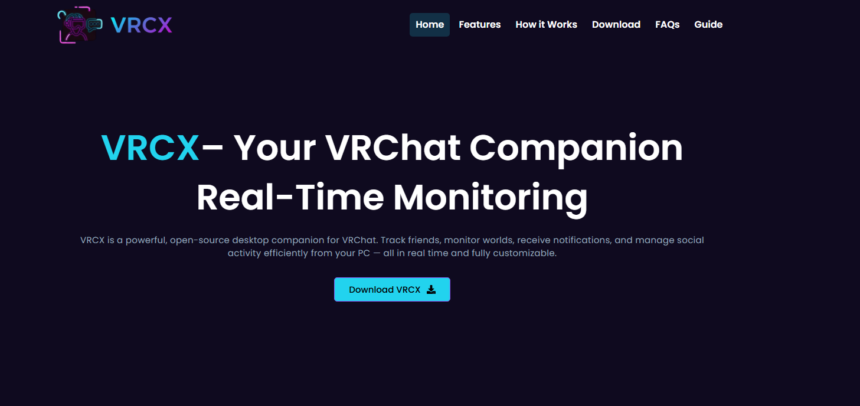
VRCX is a popular companion tool used by VRChat users to enhance their experience with additional features, better control, and easier tracking of in-game activity. Many users search for ways to download it quickly because they want a fast, safe, and simple setup process without confusion. Although it is not a complicated application, knowing the correct method can save time and prevent installation errors. This guide explains how you can download VRCX quickly, what you need before installing it, and how to make sure everything works smoothly after setup.
Understanding What VRCX Is
Before downloading VRCX, it is important to understand what it actually does. VRCX is a desktop companion application designed for VRChat users. It connects with your VRChat account and provides extra tools such as friend tracking, notification systems, chat history access, world and avatar management, and various quality-of-life improvements. It does not replace VRChat itself but works alongside it to improve usability and provide data in a more organized way.
Because it interacts with your VRChat account, it is essential to download it from a reliable source. Using unofficial or modified versions can lead to security risks or account issues. That is why most users prefer the official distribution method.
Preparing Your System Before Downloading
To download VRCX quickly and without interruptions, your system should be ready beforehand. This preparation step is often ignored, but it makes the entire process smoother.
First, ensure that your Windows system is updated. VRCX is mainly used on Windows, so having the latest updates helps avoid compatibility problems. Second, check that you have enough storage space for installation. The application is lightweight, but extra space is always helpful for updates and cached data.
Another important requirement is having the necessary runtime components installed. Many modern applications rely on system frameworks, so keeping your system updated ensures that VRCX runs without errors. Finally, make sure your internet connection is stable because downloading from the official source may involve retrieving compressed files or release packages.
The Fastest Way to Download VRCX
The quickest method to download VRCX is through its official release page where developers publish the latest stable version. This ensures you get the most updated and secure version of the software.
When you access the official release section, you will usually find multiple files available. The fastest option is to choose the pre-built Windows version, typically provided as a compressed file or installer. Downloading this file is straightforward because it does not require building or compiling anything manually.
Once you click the download option, your browser will start downloading the file immediately. Depending on your internet speed, this usually takes only a few minutes. After the download completes, you can extract the file if it is compressed and run the executable to start the installation or launch process.
Installing VRCX After Download
After downloading VRCX, installation is usually very simple. If the file comes in a compressed format, you need to extract it first using built-in Windows tools or any archive software. Inside the extracted folder, you will find the main application file.
Running this file will launch VRCX directly or start a setup process depending on the version you downloaded. In most cases, VRCX does not require a heavy installation like traditional software. It works as a portable application, meaning you can run it directly without complex setup steps.
When you open it for the first time, the application may ask you to log in using your VRChat credentials. This step is necessary so it can sync your account data and provide personalized features such as friend activity and notifications.
Making the Download Process Faster
There are a few practical ways to make downloading VRCX even faster. One of the most effective methods is to close unnecessary background applications while downloading. This ensures that your internet bandwidth is fully dedicated to the download process.
Using a reliable browser also helps improve download speed and stability. Modern browsers handle large files more efficiently and can resume downloads if interrupted. If your connection is unstable, try switching to a wired connection or moving closer to your Wi-Fi router for better signal strength.
Another useful tip is to download during off-peak hours when internet traffic is lower. This can significantly improve download speeds, especially if you are using shared internet.
Common Issues During Download
Sometimes users face issues while downloading VRCX, but most of them are easy to solve. A common problem is slow download speed, which is usually related to internet connectivity rather than the application itself. Restarting the router or switching networks often resolves this.
Another issue is antivirus software blocking the download or extracted files. This happens because some security programs mistakenly flag unknown applications. In such cases, you can temporarily disable real-time scanning or add an exception for the VRCX folder after confirming the source is safe.
Occasionally, users may download the wrong file version, such as a source code package instead of a ready-to-use application. This can be avoided by carefully selecting the Windows release version during download.
Keeping VRCX Updated
After successfully downloading and installing VRCX, it is important to keep it updated. Updates often include performance improvements, bug fixes, and new features. The application may notify you when a new version is available, or you can manually check for updates within the program.
Updating is usually as simple as downloading the latest version and replacing the old files. Because VRCX is lightweight, updates do not take much time and usually complete within minutes.
Benefits of Using VRCX
Using VRCX provides several advantages for VRChat users. It improves communication management by storing chat history and making friend interactions easier to track. It also enhances user control over avatars and worlds, helping you manage your VRChat experience more efficiently.
Another benefit is convenience. Instead of relying only on VRChat’s built-in interface, VRCX gives you a more organized and data-rich dashboard. This can be especially useful for active users who interact with many friends and communities.
Conclusion
Downloading VRCX quickly is not difficult when you follow the right steps. By preparing your system, using the official release source, and ensuring a stable internet connection, you can complete the process in just a few minutes. The installation is simple, and the application itself is lightweight and easy to use.
Once installed, VRCX enhances your VRChat experience by offering better control, improved tracking, and useful additional features. With proper setup and regular updates, it becomes a powerful companion tool for any VRChat user looking for a smoother and more organized experience.